
We’re thrilled to announce a major update to the Shop Tabs For Divi Plugin, packed with powerful features designed to elevate your Divi store. Whether you’re looking to boost sales, improve navigation, or enhance customer experience, this update brings incredible value to your store. Let’s dive into the exciting new features!
What’s New in the Shop Tabs Plugin version 1.4?
1. Module Title for Clear Customization
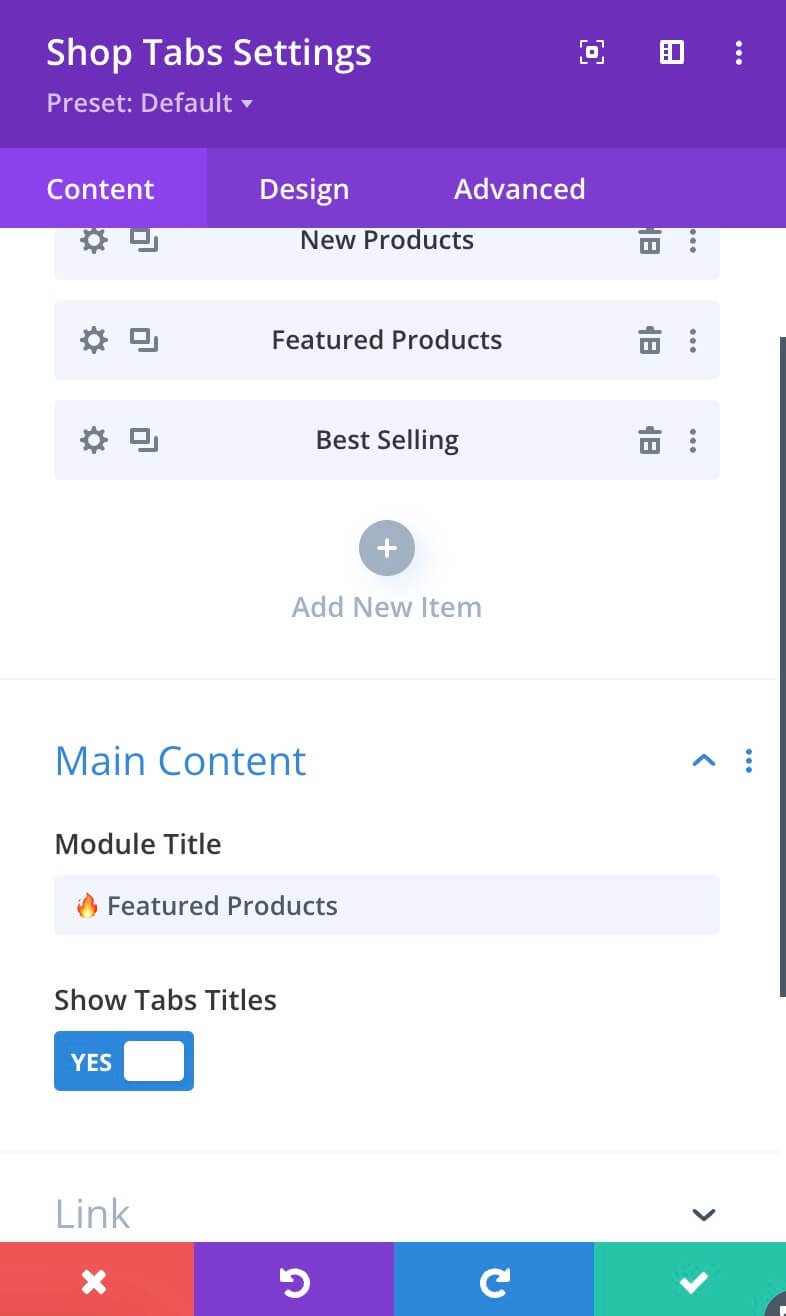
Now you can add a custom title to your module, making it easier than ever to highlight products under different categories but have something in common. For example: give the module a title like“Best Deals” to display products under sale, use each tab to display products from different categories. The module title gives you total control to make your tabs stand out!
Why it’s great:
- Instantly grab customer attention.
- Create a clean, professional look.
- Organize your product tabs effortlessly.
2. Display Related Products
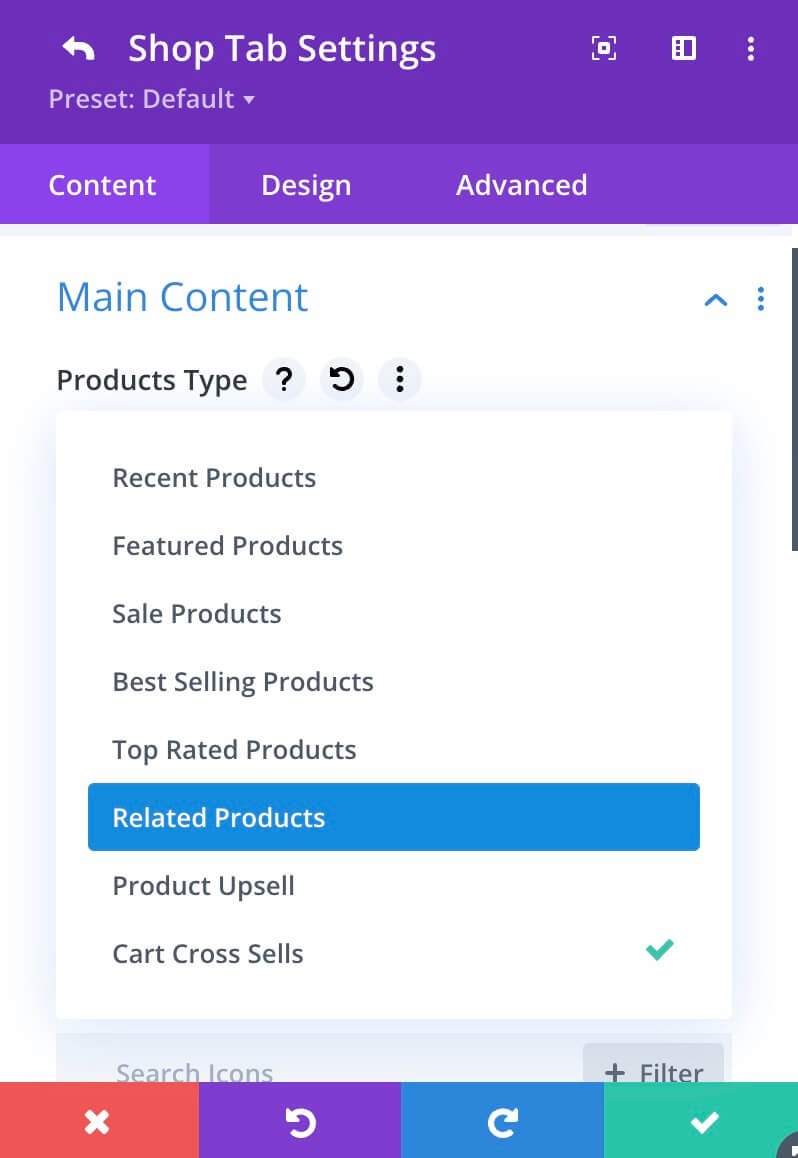
Take advantage of WooCommerce’s related product recommendations, now seamlessly integrated into tabs. Highlight items that naturally complement the current product, encouraging your customers to explore more. This option works only on single product pages.
Why it’s great:
- Drive additional sales with smart product suggestions.
- Help customers discover products they’ll love.
- Create a personalized shopping experience.
3. Upsell Products
Upselling just got easier! Showcase premium versions or complementary products directly in a dedicated tab. Whether it’s a higher-tier subscription or a bundle offer, you can now effortlessly maximize your average order value.
Why it’s great:
- Increase revenue with strategic upselling.
- Guide customers to better-value options.
- Provide helpful recommendations to enhance their purchase.
4. Cross-Sell Products
By default, WooCommerce displays the cross-sells on the cart page. Today, you can add them to a tab and display them anywhere on your website. The cross-sell tab will let you suggest products frequently bought together or items that go hand-in-hand with the customer’s purchase.
Why it’s great:
- Boost conversions with tailored product pairings.
- Showcase complementary items like accessories or add-ons.
- Encourage larger orders without being pushy.
Why Choose the Shop Tabs Plugin?
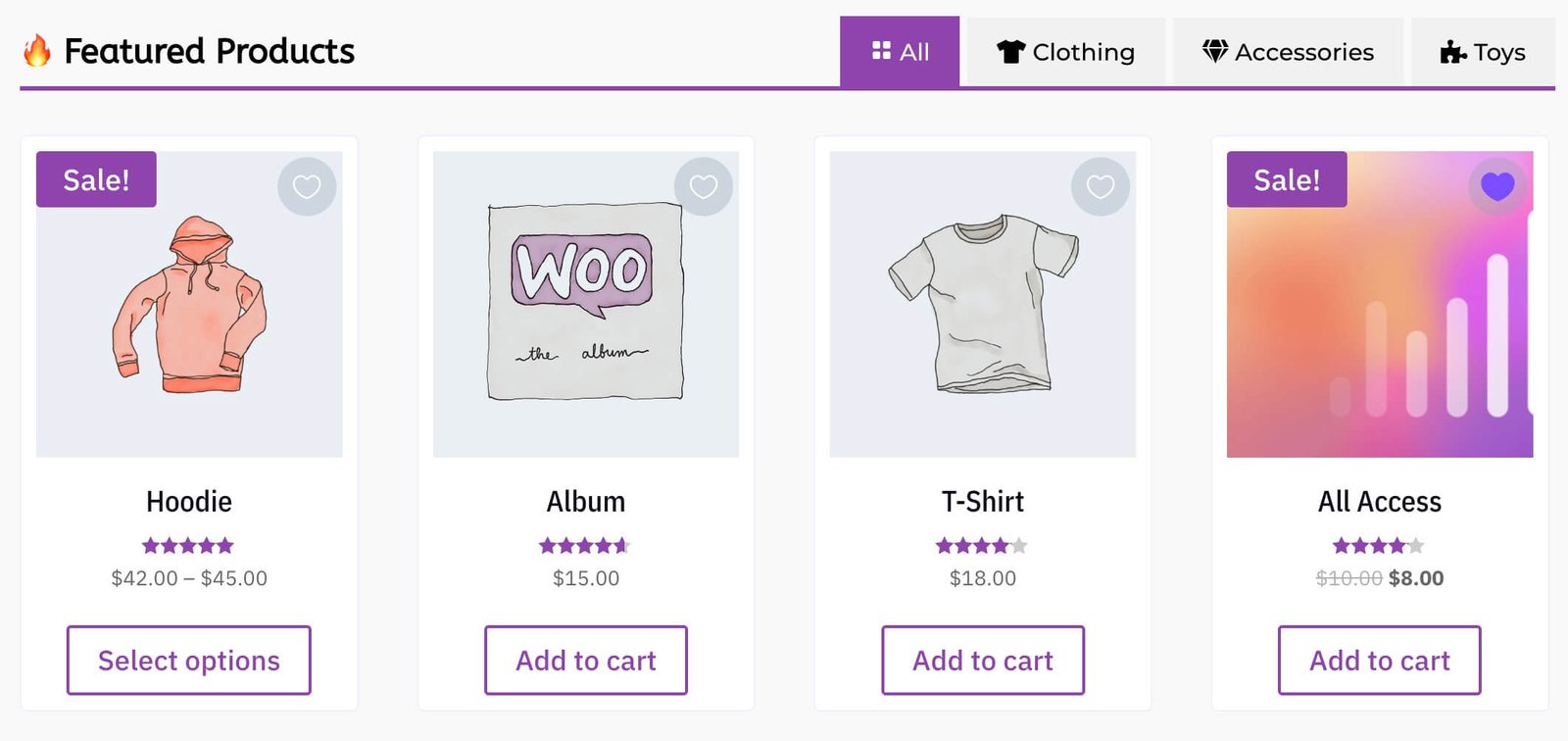
Our plugin is not just about adding tabs; it’s about boosting your WooCommerce store’s performance. With our latest update, you can:
- Simplify navigation: Organize products into visually appealing tabs.
- Encourage more purchases: Leverage related products, upsells, and cross-sells to drive sales.
- Customize effortlessly: Use the new module title option to add flair and personality.
- Save time: Easy-to-use features mean less hassle and more focus on growing your business.
Get the Shop Tabs Plugin now and watch your sales soar!
We’re Listening: Help Us Shape the Future of the Shop Tabs Plugin!
We value your ideas and experiences, and your input helps us craft the features you need to succeed. In fact, some of the new features came directly from user requests.
This update is just the beginning! We’re constantly working to improve the Shop Tabs Plugin and deliver features that help you sell more, faster. But we can’t do it without you.
What’s next? You tell us! Have an idea for a feature? Want to improve the way something works? Let us know, and together, we’ll make the Shop Tabs Plugin even better.
Share Your Feedback
We want to hear from you:
- What features would you like to see next?
- How can we improve your experience?
- What challenges are you facing in your WooCommerce store?
👉 Share your feedback by clicking here. Your insights guide our development and help us create tools that meet your needs.
Thank You for Being Part of the Divi Kingdom Community!
Your support and feedback are the driving forces behind our success. Together, we’re building better tools for better stores. Try the latest version of the Shop Tabs Plugin today and let us know what you think.
Discussion
Join the conversation